Showing posts with label Hardware. Show all posts

Tuesday, October 27, 2009

Computer issues being resolved

I can say it now: The laptop is back among the living.
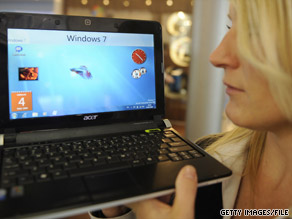
Most of my software is back up. I've knocked off most of my to-do list. I'm writing this column on it, and soon I will upload it and download email and news. I'm extremely pleased.

One of the things I noticed is that, with the new configuration, it's handling power better. I haven't checked to see if I'm getting any better battery life, as I tend to forget about things like time when I'm online. Gee, I could fly a passenger jet ...

But I have noticed that it's running much cooler when it's plugged in to the A/C adaptor. Seriously. It's not like I took its temperature (I'm not sure where to stick the thermometer), but I can tell the difference. I take that to mean the CPU isn't working as hard, a good thing.

From my master list, I still need to locate a program that will put the computer into sleep mode when I close the lid. My temporary operating system had that, so this shouldn't be difficult to find or install. From there, most of the work is either convenience or cosmetic -- like rebuilding my menus so they'd be a little more intuituve.

I still want to find an uncorrupted version of the Windows system file I blew out (hal.dll), but there's no rush there.

For the geekus extremis among us, here's a printout of some of the basics. If your eyes glaze over when someone mentions "CPU," feel free to skip over this part:

-Computer- Processor : Intel(R) Atom(TM) CPU N270 @ 1.60GHz Memory : 1022MB (267MB used) Operating System : Unknown distribution Date/Time : Tue 27 Oct 2009 01:31:22 PM GMT+5 -Display- Resolution : 1024x600 pixels OpenGL Renderer : Unknown X11 Vendor : The X.Org Foundation -Version- Kernel : Linux 2.6.29.3 (i686) Compiled : #1 Tue May 19 23:43:56 GMT-8 2009 C Library : GNU C Library version 2.9 (stable) -Current Session- Computer Name : epulsifer Desktop Environment : Unknown (Window Manager: Fluxbox) -Misc- Uptime : 17 hours, 5 minutes Load Average : 0.23, 0.15, 0.15

This "uptime" is interesting. Keep in mind, this is a laptop and I don't have that sleep-mode switch fixed, so it's been running, powered and plugged in, with the lid closed.

Just for yuks, I checked to see how long my desktop (which also runs on Linux) unit has been booted up without a restart:

7d 17:46

OK. I rebooted that computer a week ago. I usually only shut the desktop down when I'm experimenting with another computer (not enough power cords to go around), replacing a part, or moving the unit.

Just try doing that with Windows.

###

(Pictured is a screenshot from the laptop. OK, you may not recognize a lot of this stuff if you're a Windows user. The interface -- Fluxbox -- is pretty minimal, but it stays out of my way.)


Monday, October 26, 2009

Resurrecting laptop took plain & fancy fixes

OK. I think I'm back up and running.

Was out of the loop for a few days; my main access to the Internet went south until I was able to fix it.

This laptop is my mobile workhorse. Although I do much of my writing on the home computer, it's strictly a standalone unit that doesn't conect to the web. To upload and download, I use my Acer netbook for all the dirty work.

The Acer was victimized by my tendency to experiment. I'm not even sure what I did. I jiggled when I should have joggled, and corrupted a couple of system files. Now, that computer is driven by Windows XP, which doesn't lend itself well to evil experiments. Anyway, when I boot up into Windows, an error message pops up letting me know just what I'd b0rked, and won't let me go any farther than that. A dead computer.

Thanks to some other experiments I'd run, the netbook wasn't dead in the water for very long. I have a few quick-and-dirty solutions that brought it back to the land of the living, but I'm not done yet. Working on a "final solution," but the duct tape and spit will work for now.

From quick-and-dirty land:

I have a Linux system installed on a 1-gigabyte thumb drive, and I set up the laptop's BIOS to look there first before booting anything else up (instructions are on the screen). I'm using a variant of Puppy Linux, which is great because it runs in memory. Once I'm booted up, I can pull the thumb drive and work without that thing hanging out of the computer. It's probably an OCD thing.

If you're a Linux user, you can set up any version to run with a program called Unetbootin. It's very cool. You grab the .iso image file of whatever Linux version from the Internet, install it to the thumb drive via Unetbootin, fire up the computer with the thumb drive installed, and you're running Linux. You'll be able to access the files on your hard drive as before. The only caveat is that, unless your version of Linux is designed to run completely in memory (such as Puppy Linux), you won't be able to remove the thumb drive without screwing things up.

On that USB drive, I have all the goodies I need -- wireless fixins, a Web browser, text editor and word processor, and a program to play mp3s while I work. I'm all set there, at least for now. And I have the same system installed on a smaller, 256-megabyte USB drive that stays in my cell phone case, so I have a backup.

That was my temporary fix, and it served me well. But it wasn't the final solution. The good news is that over the weekend I got much closer to something more permanent. A newer, more expandable version of Puppy Linux is now installed on my hard drive, and I can boot directly into it without using the thumb drive. Much cleaner, much more permanent.

One of the limitations of Puppy Linux is that its ability to install newer software is a little squirrelly. The developer, a nice Australian guy named Barry Kauler, built the system for speed and a small footprint, and many of the add-in programs had to be adapted for that system. But, through the "woof" project, one is able to import software from Ubuntu repositories or the Slackware-based .tgz format.

I know this means nothing to non-geeky types, but here's the upshot: Newer, better software. With the old Puppy Linux, I'm limited to version 2 of Firefox; now I'm able to grab the newer -- and in this case better -- version 3.5.

OK. Almost there. But something's still missing:

I'm a news junkie, and a big part of my blogging is my ability to capture all the news I need. Plus, I want something that would give me some flexibility. I want to be able to move all this news from my laptop to the desktop at home.

In short, I want a portable RSS reader that I can use online or offline.

For those who don't know about such things, an RSS reader is the world's greatest invention for news junkies such as myself. You subscribe to your feeds, download the news you want, and read it at your leisure. Most news websites and blogs -- including this one and The Column, Reloaded (which I highly recommend) -- allow you to subscribe; but some will just give the partial feed, a paragraph or two, while others give the full text and graphics.

My own feeds include a handful of news outlets -- Yahoo! News, CNN, Newsweek, the BBC, ESPN. Plus many blogs. I have tons of political blogs in my feeds -- Daily Kos and the Huffington Post on the left, The Heritage Foundation on the right, and the libertarian Cato Institute. Although my politics are pretty well defined, I like to see what all sides have to say.

I never bothered counting the number of news feeds I have, but I have more than 1,00 news items to sort through every day. Some, obviously, are good for little more than a glance at the headline. Others I'll read, mark, prioritize, quote from, and link to in my blogs. And still others I'll forward to friends.

If you're a Gmail user, you have access to Google Reader, which fits most of the bill. But I wanted my news to be more portable than that. Google Reader does have offline capabilities, but that's still experimental.

I considered using a second, 8-gigabyte thumb drive that I use as my mobile storage disk. That's where I keep my work files, plus my Portable Apps suite.

I love Portable Apps. That's where I have a handful of to-go programs. There's Firefox, Abiword, Thunderbird, a few games, and Open Office, all on a flash drive that I can plug into anyone's computer, do my work, and leave no trace. I wrote about Portable Apps in my other blog, and it's one handy tool. The developers have some great programs available, but no RSS reader. And I'm ticked. In a pinch Thunderbird will work, but it's a poor option at best. And, these Portable Apps programs are Windows-based, meaning I need to use an emulator -- such as WINE -- to run them. Useful as WINE is, that's one layer of software I don't want to mess with for something as crucial as gathering the news.

While running my temporary system from the thumb drive, I experimented with several Linux-based RSS readers, and none were satisfactory. But with the freshly-installed Puppy Linux I tried the multi-platform, Java-based RSS Owl, and so far the interface works. While uploading this blog, I will test my installation to see if it actually downloads the news. I hope so. RSS Owl was my go-to news reader on Windows, so there won't be any real learning curve.

Fast update: It's working! I'm excited!

OK. What's still unresolved is my ability to share my RSS news with my desktop computer. The only real solution I see -- and this is theoretical -- is to score a router and network the two computers. But that's another project I'll study on later. My plate is already piled so high it's ready to tip over.

Here's my to-do list:

- Laptop lid switch - fix. (One problem with my system right now is that it doesn't go into sleep mode when I shut the lid. This means I either leave it powered up, or shut the whole thing down.
- Firefox 3.5 (Will download this in a few days.)
- Thunderbird, with calendar (My favorite mail reader, and there's a calendar add-on that, well, keeps me organized. Shoot, keeping myself organized is a losing battle most of the time, but let's not go there.)
- A couple of games (I'm not real big on that, but it's not all work and no play, and I do like a lightweight game or two every once in a while.)
- Gantt (This is a program that I use for planning, when time is important and there are definite steps to be taken. The one I use on my desktop is a Java-based program, and it's a simple download and install.)
- RSS reader!! (As I mentioned, this is being addressed.)
- qt3 (This is a series of library files that are needed to run Scribus, an open-source page layout program.)

That's the more important stuff. The rest of the list is something I can attack later:

- GIMP (This is an open-source graphics and photo-manipulation program, on a par with PhotoShop.)
- Audacity (This is a simple sound-editing program. I've used the laptop to record band rehearsals. Also need to come up with something better than the lousy condenser microphone that came with the laptop, but that's not an immediate need.)
- Open Office (I do have that, via Portable Apps, on my thumb drive. In truth, I don't use it all that much.)
- TweetDeck (This helps me organize my Twitter account, and it's quite useful. Twitter, by the way, is great for keeping up with the absolute latest news, but it's also the biggest time-waster since the Internet was invented.)

Enough already!

Thursday, August 20, 2009

Netbook or laptop? It's harder to tell the difference


As more features are finding their way into smaller packages, the lines are blurring between netbooks (like that tiny Acer I'm using to maintain this blog) and "real" laptops.


Color, screen resolution, battery, Wi-Fi, Webcam? The same. And they both lack an internal optical drive. The differences, though relatively small, can be summed up in the 11z notebook's 1.5 inches of extra screen real estate, a more powerful Celeron processor, 1GB of extra memory, and a larger hard drive ... plus, by getting the notebook with Vista, you have an automatic free upgrade to Windows 7. With any computer with XP, it costs around $100 to get Windows 7 Home Premium Edition ... the specs are so similar that the average shopper would likely be confused as to why one is better than the other.

I know that, even with my bargain-basement unit, folks are amazed there's room for a hard drive ...


Saturday, August 1, 2009

Here are some easy hardware fixes


Rather than spend a lot of money on a new computer, or worse, on repairs, here are some fixes that just about anyone can do -- as seen on the website Lifehacker.

Personal note: I've done many of these myself -- replaced a hard drive, changed out a motherboard, installed RAM, replaced a power supply, and (in part) built my own unit.

OK. What do I win?

Saturday, July 11, 2009

Best engineering happens when system dies


Psion Teklogix's 7530 is a Windows CE .NET-based handheld that combines an ultra-rugged flashlight terminal with the flexibility and large screen of a Windows CE PDA. This is a fairly large and heavy (over two pounds) handheld that's engineered for extreme ruggedness, according to the manufacturer. This particular model is no longer available, but I use it at work.

============


You've got to love this high tech stuff. For the most part, I sure do.

But this past week I've relearned some of the pitfalls that come with putting so much reliance on fancy toys.

I have one of those wonderful nonessential jobs that really should be civil service. I work at an intermodal (truck and railroad) yard, and my task is to keep track of all those trucks that come in. Or maybe it's shipping containers. One of 'em, anyway. It's equal parts security and inventory work, and whatever the job actually is, I do it well enough to fool the boss.

On the job, I keep track of all incoming and outgoing shipping containers, chassis, and truckers. We do this by computer, and my own unit is a Psion Teklogik handheld, model 7530. It's not a half bad rig, for one that's been discontinued for a few years. Runs on Windows CE, which was the OS of choice for the old Pocket PC. Connects with the main system via wireless. Bluetooth connection to the printer hanging from my belt. And it's built tough. According to the manufacturer's website, you can run this thing in the rain, drop it from six feet up, or work it in a freezer. I've dropped this a few times (whenever you do, always make it look like an accident) and run it in tropical storms and freezing weather. I've also thought of using this unit as a hammer, crowbar, or occasional argument-stopper -- all in the interest of beta testing, creating a better product. Of course.

The system is not that well maintained, and sometimes it's temperamental. Bogs down. Takes forever to print. Some of our units have issues with the display. The alphanumeric keyboard is not designed for a full-sized hand, and although I'm fairly quick on it (using the index and middle fingers on my left hand), it's really best if you're used to thumb typing -- which I'm not.

On Wednesday I came to work, clocked in, made coffee, and fired up my handheld. And it froze up. I tried a hard reset. I tried a different handheld. I tried dropping it again. I tried a different battery, then a different handheld. Forget it. All our mobile units were dead in the water. And already a few trucks were lined up, waiting for me to open the place.

Fortunately, we still have a box of the old two-part forms hanging around, leftovers from the days this work was done by hand. It took a few minutes to familiarize myself with the forms, and soon I was good to go. The three of us -- me, coworker Michelle, and supervisor Elaine -- worked out some of the bugs, smoothed out the operations, and pretty soon we were able to do as good a job on the old forms as we did on the handhelds. Michelle and I would fill out the forms and pitch them to Elaine, who typed them into her desktop. It went very well, with very few glitches. When the computer system was back up shortly after noon on Friday, we could not help but feel good about what we accomplished.

And now we know what to do next time the system goes down, which it will.

A revelation here: Although we were a bit slower with the forms (always an issue with many of our truckers who want everything yesterday), we were probably more accurate. But there's more.

The job became simpler.

Really.

As I explained this point with one of the truckers, the job suddenly had all the fat trimmed off of it. Rather than go through a bunch of keystrokes (it takes about 20 keystrokes to do the simplest task, to check in a trucker who is not pulling anything; just bobtailing), just dash it off on the form, get a signature, and give the driver a copy. And, writing the stuff down on the form, many drivers were impressed we actually knew their names; on the computer they're just a six-digit code.

Yeah, sometimes I bring a sardonic sense of humor to the job. "How you like our giant technological leap forward?" I asked some of the drivers. But I was only half kidding.

OK. I love technological toys. Got to have my computer, Internet, cell phone, mp3 player, and all the goodies. I know how to use them, and I also know how to get under the hood and tweak things for higher performance. Tech is convenient. Tech is fast.

What high tech does not do, though, is make your task any simpler. If you think it does, you're fooling yourself.

I keep my budget on a spreadsheet. It's pretty intuitive now, but it took hours of fine-tuning to get it the way I wanted it. Honestly, a ledger and plenty of black (and for me, red) ink is every bit as good. And if the computer geeks out? Forget it. You'll send for some guy who can barely speak English. But he'll baffle you with BS and charge you big bucks for the privilege.

While the Internet speeds up the research process, whatever time and effort you save will likely be swallowed up in plucking the pearls of usable information from the ordure. And I hope you wash your hands after that.

I can carry a whole bunch of music on my mp3 player. Convenient, but mp3's -- or even CDs-- don't have the sound quality of vinyl.

While computers were a factor, we really used a clipboard and slide rule to put man on the moon.

Wednesday, June 24, 2009

Battery life: The ABC's of YMMV

Wonder why your laptop batteries don't seem to last as advertised?

Here's an article in Newsweek on how battery life is figured, which illustrates exactly what "your mileage may vary" means.

False advertising? You figure it out, but first tell me if there's any other kind.

(For the record, my Aspire One gets about two hours per battery charge.)

Saturday, April 18, 2009

Review: Are Netbooks hip or hype?

I've joined the laptop crowd, kinda sorta.

Recently I acquired an Acer Aspire One, one of the new breed of mini-laptops that they in the industry call "netbooks." A pretty handy little device; about the size of a hardback book.

It's not a full laptop, and if you put it up against one of the larger, faster portables you'll definitely see a difference. But these smaller units have caught on, sold like crazy,  and created their own category: netbooks.

A bit of history on these netbooks: The idea came about a couple of years ago with the One Laptop Per Child (OLPC) project. This effort was to design a mini-computer rugged enough to tote everywhere, with wireless connectivity, no hard drive, and cheap enough to be distributed among third-world children. Or something like that, anyway. The designers hoped they could make a tough little $100 laptop. Of course this concept didn't work out in the real world as it did on paper, but the Acer -- like the Asus Eee, is a direct descendant of the OLPC project.

The last laptop I'd used was an old Toshiba Satellite, a 486 system running Windows 95. I can't remember how much RAM it had, but it certainly not enough to handle today's software. And for years I used a roll-your-own laptop, which was little more than a Sony Clie handheld (with a Palm OS) hooked up to a foldout keyboard. This was the ultimate in portability -- I could stow the two pieces in my coat pocket -- but I was limited in what kind of files I could move. This setup didn't have Internet access, though I could connect up by piggybacking through my desktop rig. This was great for what I really needed to do, keeping myself organized (always a monumental task) and editing text files away from home.

For a long time I had my eye on a cheap (read: thrown-away) laptop, but that wasn't forthcoming. Instead, I opted for the Acer, which goes for about half the price of most laptops, has wireless connectivity, allows me to work on the go, and is small enough to stow in my backpack. At a little less than two-and-a-half pounds, we're not talking about any significant load at all, and I keep it in a zippered document bag that fits it nicely.

It's lightweight under the hood, too. My unit has 1 gigabyte of RAM, an Intel Atom processor with 1596 mHz CPU speed, and a 160-gig solid-state hard drive. This last part is cool, as many Netbooks lack a hard drive, leaving you to save files to a USB thumb drive).

For connections it has three USB 2.0 ports, an Ethernet port, a six-in-one memory card reader, and a slot for an additional storage card. Add some nearly-useless stereo speakers and a minimal built-in Webcam, and that's the package. None of it is truly outstanding, but that's where you decide exactly what your needs are before buying the Aspire -- or if you're half smart, any other computer.

Personal note: My desktop/workhorse is quite old (256MB RAM, 1.3 GHZ, 80G hard drive, running Linux), so the minimal hardware on the Aspire is not as big an issue with me. About the most memory-intensive thing I do is editing and mixing sound files, and I try to stick with software that's as bloat-free as possible. Plus, I'm not above a little vest-pocket engineering. I'm saving most of my files on a thumb drive anyway so I can work with them on the desktop (Linux) computer, and you can pretty much do anything with a USB drive that you can do with a CD-ROM -- including boot the computer directly from it.


Because it's a subminiature, it will take a lot of coordination and patience to use the Aspire. The screen is small -- a teeny 8.5 inches on the model I have, though some are 10 inches or larger. This one ... well, I find myself maximizing all my windows to fill the screen just so I can see them. The LCD screen is quite clear, though, so reading it is not a problem. On many Web sites, memorize where your PgUp and PgDown buttons are. You'll be using them a lot.

The keyboard is likewise small, in fact the same size as the Belkin foldout keyboard I used with the handheld. Although I'm good with a keyboard, I end up making more typos with this one because of the smaller keys and because I basically have bricks for hands. I don't recommend using this keyboard for long stretches.

The touchpad is a little squirrelly, too, mostly because I've never used one before. Like on a lot of laptops it's below the space bar, in the middle. In fact, right about where my thumb thinks the space bar should be. My unit did come with a half-sized USB optical mouse, so that's an option if that touchpad drives you buggy.

No real problems with the graphics, though sound leaves a lot to be desired. Even using headphones, playing music through it doesn't sound as good as it does from my desktop or mp3 player. I tried recording with the built-in mic, and immediately decided it's pretty bad.

Now that I've eviscerated the Aspire ...

I find it's best at going on line just about anywhere. The other day, bicycling home from work, I stopped off at a college campus, plunked my butt down on a bench, dragged out the Aspire, found a wireless signal, and went to work. Email. Downloaded a few songs. Checked a few Web sites (if you must know, some sites with info on how to put Linux on the Aspire!). Edited a column or two. Got quite a bit done. The only real on-the-road drawback is that battery life is limited to between two and three hours, so if there's some heavy work ahead you might want to pack the two-piece A/C adaptor.

I'm also keeping my most important files -- particularly my mp3 collection (at more than 1,800 songs and growing) -- on this unit's hard drive as a backup. That in itself is huge.

I'll grant you, this unit is nowhere near as powerful as the newer laptops or desktops you can get. Not even close. It clearly won't run under Vista, and Microsoft has been keeping XP around mostly for these Netbooks. That in itself doesn't worry me; Vista is an abortion anyway.

What was almost a deal-breaker for me is that most netbooks -- including the Aspire One -- have no CD-ROM drive. And the keyboard is much smaller than even your average laptop's. But the Acer isn't really designed to be someone's main unit, and even the limited specs make it a whole lot faster than my ancient desktop.

Another almost-deal-breaker for me is that it's very difficult to install or run a different operating system on this rig. Some versions of the Acer come with Linux, but this one is loaded with Windows XP Home Edition (Service Pack 3) -- ironically, Linux is my preference. Theoretically, I can install Linux via dual-boot, using the thumb drive in lieu of a CD-ROM to load the system. I'm still toying with it, and this will become fodder for a future posting.

Here's some bottom line stuff:

Don't buy the Aspire One because it's "cute," although I'll admit the little bugger IS cute. Don't get it if it's the only computer you have, unless you will only use it to go on line. Don't buy one expecting the latest gee-whiz bleeding-edge software. Don't get it if you plan to use the keyboard a lot, or have problems with smaller keyboards, or need a large display. Don't get it if you want Vista or whatever operating system Microsoft develops to replace that abortion. Don't get it if you can't leave stuff alone. Don't get it if you already have a perfectly good laptop, unless you're looking for a spare.

Get it, though, if you need to go ultraportable, if you want a mini-laptop that can go with you everywhere, or if you're looking for a cheaper option for a laptop.

==========

[You tell me! What's your experience with netbooks? Do you have one? Do you love it or hate it? Use the comments section for your input.]


Saturday, September 13, 2008

Gettin' Geeky 1: Personal to-do list

Personal to-do list:

Deadline: Whenever.

- Install second hard drive (has Windows XP), put it in lede position. Reconfigure Grub boot loader. Partition; XP may get 10 gigabytes if I'm feeling generous. Use the rest for experiments.

- Install Vector Linux 5.9 on back end of "new" hard drive. Test it; potential blog TK. Want to pay attention to how it handles wireless; was a deal-breaker in v. 5.8. Potential blog entry?

- Check out website on getting Chrome to work through WINE emulator. Maybe give that a shot?

About YOU