Showing posts with label OS. Show all posts

Thursday, November 26, 2009

Chrome OS promising, but it's more for the future

It won't be ready for the general public for another year, but the sneak preview of the Google Chrome OS is generating quite a buzz.

It may be a Windows-killer, some claim. It'll put Linux on the map, say others. It'll be a fiasco, say still more pundits. So far, nobody's neutral.

Google Chrome, built from the Debian GNU/Linux operating system (which I've always liked), is designed for the ultralight, ultracheap netbooks that are not really built for much more than Web browsing and lightweight office work. And the Chrome system is really little more than a front end for "cloud computing" -- the use of online applications and storage.

According to the Google blog:

... it's all about the web. All apps are web apps. The entire experience takes place within the browser and there are no conventional desktop applications. This means users do not have to deal with installing, managing and updating programs ...

That in itself is enough to really stir the pudding in the computer world.

I guess that's the future of computing, and it stands to reason that one may not even need a hard drive in the future. That's the trend I'm seeing carried out to its logical conclusion, though it doesn't mean I have to like it.

I've fooled around some with online applications, such as Google Docs. While they're OK, I have trepidations about using these for everything. I've also played with bubbl.us, an online mind mapping program. While these concepts are great for portability -- you can access your stuff from any computer without even a thumb drive. I'd rather keep my documents on hard drive. I'm even chary about backing them up online, and I like a lot more choice about what applications I do use. But from what I've read, the Google Chrome system throws you right into the future.

Although InfoWorld’s Randall Kennedy says Google’s Chrome OS will be a big failure, Robert Scoble thinks it's just ahead of its time:

... what about my son who is in high school? By the time Chrome OS comes along in big numbers he’ll be in college. Why take a $1,000 computer to class? Couldn’t he do everything he needs to do on a low-cost computer that’s lightweight, replaceable, uses low power, and just uses the web? Absolutely. InfoWorld is making assumptions that the world is going to stay the same. That simply is NOT true ... what will run on these new devices? A heavyweight OS like Windows 7 that takes me 40 seconds to boot up and does a ton of stuff I really don’t need, or a new OS that just has Google Chrome as its centerpiece?"

Even with nothing but a Web browser? Scoble says this:

... hey, I just wrote this post on Google Chrome while sitting listening to Marc Benioff at the TechCrunch Real Time Crunchup. I have not seen a single thing demonstrated on stage yet that won’t run on Google Chrome OS ... this is a winner, but on a new field ...

I may download the Chrome OS and give it a shot, though I'm not all that enthused about it. Since it's a front end with little more than a graphic user interface, a few core programs, and the Chrome browser, why does the download weigh in at around three gigabytes?

Out of the box, the download on my current Linux operating system is a tick over 700 megabytes. And that includes all the programs that make the computer a self-contained one. You can get surprisingly complete Linux distributions on a 100-megabyte download.

Still, I'm intrigued by this system, and hope it is adopted early and often. There's no secret that I'm a big fan of Linux, and the Chrome OS may finally dissolve the perception that Linux is too busy being geeky to be useful.

Now, understand that none of this is carved in granite, or even in bologna. This sneak preview is available in source code format, and it'll be a while before the final, battle-ready version is ready. In the interim, those who grabbed the download are essentially beta testers. Run it, crash it, make note of what you did, and report back to the developers.

The new operating system still begs the question: What will it do with Microsoft's death grip on the PC market?

Taking the pundits' comments and working the middle ground, the answer is not a lot. TechCrunch writer M. G. Siegler suggests Chrome will nibble into the bottom end of the Microsoft market -- the netbooks, the cheap computers. But until Windows 7 was released, Microsoft had conceded that end of the market. Most netbooks came with some form of Linux preloaded, while a few had Windows XP. Part of the game plan behind Windows 7 (which I'm not going to review; I'm more interested in open-source software) was to recapture some of the netbook users, and by most accounts the new Windows is one of the best systems Microsoft has ever produced.

Siegler writes:

... Google’s positioning for Chrome OS reads like a page out of Apple’s playbook, only from the opposite direction ... Apple, of course, takes the opposite approach, targeting the high end of the market with their high-quality and high-margin machines. If Google is successful with its Chrome OS netbooks (let’s call them ChromeBooks), what we could see is the squeezing of Microsoft, an idea I first laid out a month ago. With attacks from the top and bottom, Windows will be relegated to the middle. And ultimately, if Google has its way, marginalized ...

Stay tuned.

###

Tuesday, October 27, 2009

Computer issues being resolved

I can say it now: The laptop is back among the living.

Most of my software is back up. I've knocked off most of my to-do list. I'm writing this column on it, and soon I will upload it and download email and news. I'm extremely pleased.

One of the things I noticed is that, with the new configuration, it's handling power better. I haven't checked to see if I'm getting any better battery life, as I tend to forget about things like time when I'm online. Gee, I could fly a passenger jet ...

But I have noticed that it's running much cooler when it's plugged in to the A/C adaptor. Seriously. It's not like I took its temperature (I'm not sure where to stick the thermometer), but I can tell the difference. I take that to mean the CPU isn't working as hard, a good thing.

From my master list, I still need to locate a program that will put the computer into sleep mode when I close the lid. My temporary operating system had that, so this shouldn't be difficult to find or install. From there, most of the work is either convenience or cosmetic -- like rebuilding my menus so they'd be a little more intuituve.

I still want to find an uncorrupted version of the Windows system file I blew out (hal.dll), but there's no rush there.

For the geekus extremis among us, here's a printout of some of the basics. If your eyes glaze over when someone mentions "CPU," feel free to skip over this part:

-Computer- Processor : Intel(R) Atom(TM) CPU N270 @ 1.60GHz Memory : 1022MB (267MB used) Operating System : Unknown distribution Date/Time : Tue 27 Oct 2009 01:31:22 PM GMT+5 -Display- Resolution : 1024x600 pixels OpenGL Renderer : Unknown X11 Vendor : The X.Org Foundation -Version- Kernel : Linux 2.6.29.3 (i686) Compiled : #1 Tue May 19 23:43:56 GMT-8 2009 C Library : GNU C Library version 2.9 (stable) -Current Session- Computer Name : epulsifer Desktop Environment : Unknown (Window Manager: Fluxbox) -Misc- Uptime : 17 hours, 5 minutes Load Average : 0.23, 0.15, 0.15

This "uptime" is interesting. Keep in mind, this is a laptop and I don't have that sleep-mode switch fixed, so it's been running, powered and plugged in, with the lid closed.

Just for yuks, I checked to see how long my desktop (which also runs on Linux) unit has been booted up without a restart:

7d 17:46

OK. I rebooted that computer a week ago. I usually only shut the desktop down when I'm experimenting with another computer (not enough power cords to go around), replacing a part, or moving the unit.

Just try doing that with Windows.

###

(Pictured is a screenshot from the laptop. OK, you may not recognize a lot of this stuff if you're a Windows user. The interface -- Fluxbox -- is pretty minimal, but it stays out of my way.)


Thursday, August 20, 2009

Netbook or laptop? It's harder to tell the difference


As more features are finding their way into smaller packages, the lines are blurring between netbooks (like that tiny Acer I'm using to maintain this blog) and "real" laptops.


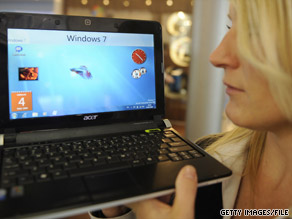
Color, screen resolution, battery, Wi-Fi, Webcam? The same. And they both lack an internal optical drive. The differences, though relatively small, can be summed up in the 11z notebook's 1.5 inches of extra screen real estate, a more powerful Celeron processor, 1GB of extra memory, and a larger hard drive ... plus, by getting the notebook with Vista, you have an automatic free upgrade to Windows 7. With any computer with XP, it costs around $100 to get Windows 7 Home Premium Edition ... the specs are so similar that the average shopper would likely be confused as to why one is better than the other.

I know that, even with my bargain-basement unit, folks are amazed there's room for a hard drive ...


Thursday, July 23, 2009

Mossberg: Windows 7 looks good except ...

Y'all Windows junkies can't wait for Version 7? According to Walter Mossberg of the Wall Street Journal, Windows 7 beats the pants off Vista (which isn't difficult) and even seems a lot sturdier than XP. (It remains to be seen how it stands up against Windows 98SE, the American classic).

Mossberg says everything's copacetic about Windows 7 except ... except ... the upgrade process. Might be better to buy a whole new computer?

Saturday, July 11, 2009

Best engineering happens when system dies


Psion Teklogix's 7530 is a Windows CE .NET-based handheld that combines an ultra-rugged flashlight terminal with the flexibility and large screen of a Windows CE PDA. This is a fairly large and heavy (over two pounds) handheld that's engineered for extreme ruggedness, according to the manufacturer. This particular model is no longer available, but I use it at work.

============


You've got to love this high tech stuff. For the most part, I sure do.

But this past week I've relearned some of the pitfalls that come with putting so much reliance on fancy toys.

I have one of those wonderful nonessential jobs that really should be civil service. I work at an intermodal (truck and railroad) yard, and my task is to keep track of all those trucks that come in. Or maybe it's shipping containers. One of 'em, anyway. It's equal parts security and inventory work, and whatever the job actually is, I do it well enough to fool the boss.

On the job, I keep track of all incoming and outgoing shipping containers, chassis, and truckers. We do this by computer, and my own unit is a Psion Teklogik handheld, model 7530. It's not a half bad rig, for one that's been discontinued for a few years. Runs on Windows CE, which was the OS of choice for the old Pocket PC. Connects with the main system via wireless. Bluetooth connection to the printer hanging from my belt. And it's built tough. According to the manufacturer's website, you can run this thing in the rain, drop it from six feet up, or work it in a freezer. I've dropped this a few times (whenever you do, always make it look like an accident) and run it in tropical storms and freezing weather. I've also thought of using this unit as a hammer, crowbar, or occasional argument-stopper -- all in the interest of beta testing, creating a better product. Of course.

The system is not that well maintained, and sometimes it's temperamental. Bogs down. Takes forever to print. Some of our units have issues with the display. The alphanumeric keyboard is not designed for a full-sized hand, and although I'm fairly quick on it (using the index and middle fingers on my left hand), it's really best if you're used to thumb typing -- which I'm not.

On Wednesday I came to work, clocked in, made coffee, and fired up my handheld. And it froze up. I tried a hard reset. I tried a different handheld. I tried dropping it again. I tried a different battery, then a different handheld. Forget it. All our mobile units were dead in the water. And already a few trucks were lined up, waiting for me to open the place.

Fortunately, we still have a box of the old two-part forms hanging around, leftovers from the days this work was done by hand. It took a few minutes to familiarize myself with the forms, and soon I was good to go. The three of us -- me, coworker Michelle, and supervisor Elaine -- worked out some of the bugs, smoothed out the operations, and pretty soon we were able to do as good a job on the old forms as we did on the handhelds. Michelle and I would fill out the forms and pitch them to Elaine, who typed them into her desktop. It went very well, with very few glitches. When the computer system was back up shortly after noon on Friday, we could not help but feel good about what we accomplished.

And now we know what to do next time the system goes down, which it will.

A revelation here: Although we were a bit slower with the forms (always an issue with many of our truckers who want everything yesterday), we were probably more accurate. But there's more.

The job became simpler.

Really.

As I explained this point with one of the truckers, the job suddenly had all the fat trimmed off of it. Rather than go through a bunch of keystrokes (it takes about 20 keystrokes to do the simplest task, to check in a trucker who is not pulling anything; just bobtailing), just dash it off on the form, get a signature, and give the driver a copy. And, writing the stuff down on the form, many drivers were impressed we actually knew their names; on the computer they're just a six-digit code.

Yeah, sometimes I bring a sardonic sense of humor to the job. "How you like our giant technological leap forward?" I asked some of the drivers. But I was only half kidding.

OK. I love technological toys. Got to have my computer, Internet, cell phone, mp3 player, and all the goodies. I know how to use them, and I also know how to get under the hood and tweak things for higher performance. Tech is convenient. Tech is fast.

What high tech does not do, though, is make your task any simpler. If you think it does, you're fooling yourself.

I keep my budget on a spreadsheet. It's pretty intuitive now, but it took hours of fine-tuning to get it the way I wanted it. Honestly, a ledger and plenty of black (and for me, red) ink is every bit as good. And if the computer geeks out? Forget it. You'll send for some guy who can barely speak English. But he'll baffle you with BS and charge you big bucks for the privilege.

While the Internet speeds up the research process, whatever time and effort you save will likely be swallowed up in plucking the pearls of usable information from the ordure. And I hope you wash your hands after that.

I can carry a whole bunch of music on my mp3 player. Convenient, but mp3's -- or even CDs-- don't have the sound quality of vinyl.

While computers were a factor, we really used a clipboard and slide rule to put man on the moon.

Thursday, July 9, 2009

Chrome OS: Odds not good, says Wired

Ambitions or not, the new Google Chrome operating system has an uphill battle if it plans to nibble into Microsoft's edge on the netbook market. But Wired isn't betting the ranch on this happening:

Google's netbook-friendly Chrome OS takes direct aim at Microsoft, whose eight-year-old Windows XP leads the netbook market. But the odds are stacked against Google.

Despite its buzz, the odds are stacked against Google's Chrome OS becoming a serious rival to Windows. In competing with Windows, Google Chrome OS will have to deal with many of the same challenges Linux has: compatibility, usability, and unfamiliarity. The record isn't good ...

Also -- what's this talk of a monopoly? I mean, MS was accused of this in an antitrust case, some years ago. This is from the L.A. Times ...

Wednesday, July 8, 2009

Google Chrome-based OS a fit for netbooks?


I sure wasn't expecting this, though I probably should have. Google is looking at netbooks (those mini-laptops like the one I'm using) and systems that can run them. This announcement is from Lifehacker:

In a sudden, if not unexpected, announcement this morning, Google said it would release an open-source operating system based on its Chrome browser. The OS will be free, geared (at first) toward netbooks, and focused on "speed, simplicity, and security." Google executives told the New York Times that Google Chrome OS would be available online "later this year" as a free, open-source download, while specially tailored netbooks running the operating system are targeted for the second half of 2010 ...

About YOU